Marnie journal / Bills and subscriptions
How to See All Your Subscriptions in One List
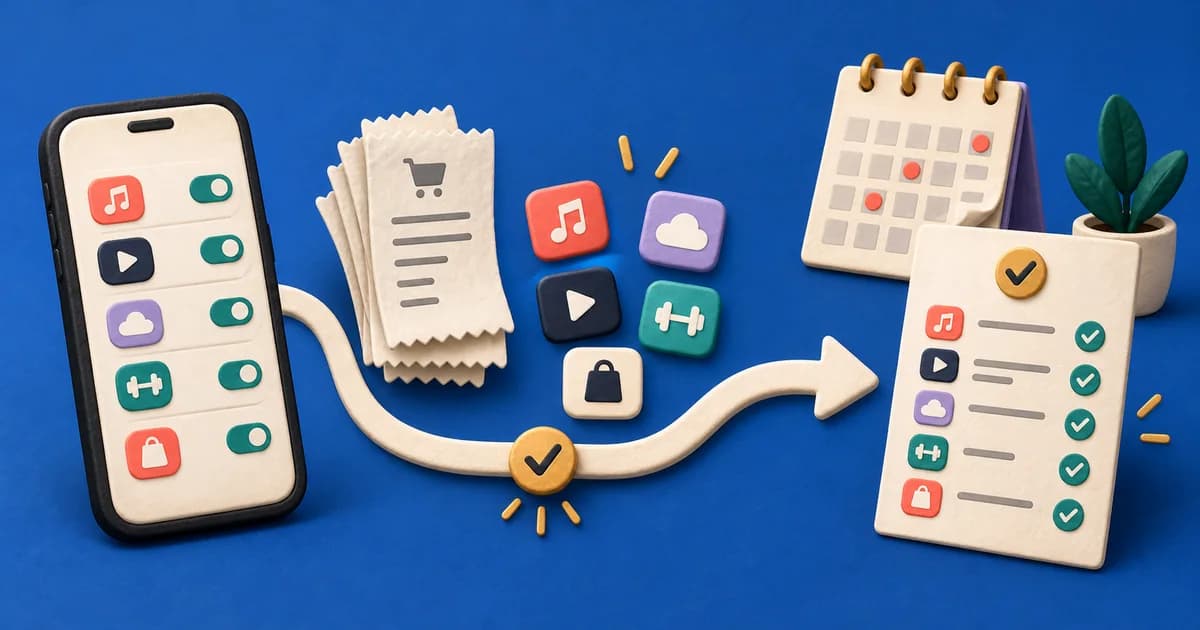
To see all your subscriptions, check every place that can charge you, not just one screen. Your phone's subscription list only shows what that app store bills. Check these five places, then write every subscription into one list:
- iPhone or iPad: open Settings, tap your name, then tap Subscriptions.
- Android: open Settings, tap Google, your name and Manage your Google Account, then Payments & subscriptions and Manage subscriptions.
- PayPal: on the PayPal website, go to Settings, then Payments, then Subscriptions and saved businesses or Automatic Payments.
- Bank and card statements: look for repeat merchants over the last 3 months, then 12 months for annual renewals.
- Email: search every inbox you use for "receipt", "renewal", "subscription" and "trial".
Give each subscription one row, however many places it appears. The number of rows is your answer to "how many subscriptions do I have?" for the sources you checked.
Check subscriptions on iPhone or iPad
Apple keeps a list of subscriptions billed through your Apple Account, including ones bought inside App Store apps.
- Open Settings.
- Tap your name at the top.
- Tap Subscriptions.
On a Mac, start in the App Store by clicking your name at the bottom of the sidebar. Apple's guide to cancelling a subscription from Apple lists the remaining steps for Mac, Windows, the web and Android.
If a subscription you pay for is missing, Apple suggests searching your email for "receipt from Apple" or "invoice from Apple". The receipt shows which Apple Account was charged:
- A family member's account: only that person can cancel it.
- Another Apple Account you use: sign in to that account to see it.
- No Apple receipt at all: another company probably bills you. Check your bank or card statement for its name.
Subscriptions bought through a mobile carrier or other provider are managed with that provider. For a trial you don't want to keep, Apple advises cancelling at least 24 hours before it ends.
Check Android and Google Play subscriptions
Google's current instructions start in your phone's Settings app rather than the Play Store:
- Open your device's Settings app.
- Tap Google, then your name, then Manage your Google Account.
- Tap Payments & subscriptions, then Manage subscriptions.
The Google Play subscription help page also links straight to your Google Play subscriptions. If one is missing, it may belong to a different Google Account, so switch accounts and check again.
Two details catch people out. Uninstalling an app does not cancel its subscription. And past charges sit somewhere else: in the Play Store, tap your profile icon, then Payments & subscriptions and Budget & history. Google's guide to reviewing your Google Play order history explains what appears there.
Check PayPal automatic payments
PayPal groups subscriptions, billing agreements and recurring payments under automatic payments. On the PayPal website:
- Go to Settings.
- Click Payments.
- Select Subscriptions and saved businesses or Automatic Payments.
- Select a merchant to see its details.
From the merchant page, you can cancel the automatic payment, change its payment method and find the merchant's contact details. PayPal's automatic payments help article describes the US website; the app and other countries may use different labels.
A saved business is permission to charge you, not proof of an active plan. Compare each one with your recent PayPal activity. Stopping the PayPal permission may not end your agreement with the merchant, so check the service's own account too.
Search bank and card statements for repeat charges
Statements catch what store lists miss: website sign-ups, gym memberships, insurance, software and direct debits. List every card and account first, including old cards and accounts you rarely open.
Then review them in two passes:
- Last 3 months: find weekly and monthly charges.
- Last 12 months: find annual renewals. A charge from eight months ago won't appear in a quarterly review.
Look for these patterns:
- The same merchant at a regular interval, often for a similar amount.
- Charges from Apple, Google or PayPal. Open that source to see which service each one pays for.
- A first charge after a period with no charges, which may be a free trial converting.
- Small amounts, foreign-currency charges and unfamiliar billing names.
Statement names often differ from brand names, so match the date and amount with a receipt before you label a charge. Our guide to why expense apps get merchant names wrong explains the mismatch. If your banking app groups recurring payments, treat that view as one more source, not the complete list.
The US Federal Trade Commission has advice on free trials and auto-renewals. It recommends monitoring your card statements after you start a trial and again after you cancel.
Search your email for receipts and renewal notices
Email often reveals annual plans and trials before they charge you. Search each inbox you have used for sign-ups, including old and work addresses, for words such as:
- "subscription", "renewal" and "auto-renew"
- "receipt", "invoice" and "order confirmation"
- "trial", "your plan" and "membership"
Add each billing company you find to your list, with the renewal date from the message. Be wary of a renewal notice for something you don't recognise. The FTC warns that scammers send fake renewal notices, so contact the company through its own website or app rather than a link in the message.
Check the other places that can bill you
A few subscriptions sit outside all of the above:
- Mobile and internet providers: bundled streaming or cloud plans may be billed with your phone or internet plan.
- Shopping and streaming accounts: many have their own memberships or subscriptions page in account settings, including add-on channels.
- TVs, game consoles and other devices: purchases may be billed through that device's store account.
- Household accounts: a partner or family member may pay for a service you use, or the reverse.
Ask anyone you share services with before you count or cancel them.
Count your subscriptions in one audit table
Now merge everything into one subscription audit table. Use one row per subscription, not one row per place you found it. An App Store entry, an email receipt and a card charge can all describe the same plan.
Copy these fields into a notebook or spreadsheet, or use the blank subscription table in our downloadable money-planning worksheets. The download is a Markdown document; it does not calculate totals for you.
| Field | What to enter |
|---|---|
| Service and plan | The service you receive and the plan tier |
| Billing company and account | Who charges you and which login owns it; never record passwords here |
| Actual charge and currency | The amount expected at each renewal, including known fees |
| Billing frequency | Weekly, monthly, annual or another exact interval |
| Next charge and review date | When money is due and when you will decide |
| Use and decision | What you use it for; keep, investigate, downgrade or cancel |
| Evidence and status | Receipt, renewal notice or cancellation reference; active, pending or ended |
Give a trial its own row even while it costs nothing, with the price and date it converts.
If two rows look identical, check whether they are two plans or two records of one payment before deleting either. The steps for resolving duplicate transactions apply here too.
When the table is complete, count the active rows and list trials separately. That is how many subscriptions you have across the sources you checked.
Compare the yearly cost without losing the renewal date
Monthly equivalents make different billing periods comparable. They don't change when money leaves your account.
| Billing interval | Annual comparison | Monthly equivalent |
|---|---|---|
| Monthly | charge x 12 | charge |
| Quarterly | charge x 4 | charge / 3 |
| Annual | charge | charge / 12 |
| Every four weeks | charge x 13 in a 52-week comparison | charge x 13 / 12 |
| Weekly | charge x 52 in a 52-week comparison | charge x 52 / 12 |
Weekly and four-weekly figures assume a 52-week year, so check the real renewal dates when you budget.
Here is an illustrative list. The services and prices are invented, so read the dollar amounts in your own currency.
| Fictional service | Actual charge | Annual comparison | Monthly equivalent |
|---|---|---|---|
| Video plan | $18 monthly | $216 | $18 |
| Cloud storage | $48 annually | $48 | $4 |
| Fitness membership | $15 every four weeks | $195 | $16.25 |
| Language app | $90 annually | $90 | $7.50 |
| Total | Mixed billing intervals | $549 | $45.75 |
The cloud storage and language app look like $11.50 a month combined. If both renew this month, $138 leaves your account. Planning for $11.50 would understate this month's payments by $126.50.
Use the yearly total to judge value and the renewal dates to plan cash flow. For annual plans you keep, a sinking fund for annual bills spreads the cost across earlier paydays.
Decide what to keep and confirm each cancellation
Give every row one decision:
- Keep: it serves a current need. Note the renewal and review dates.
- Investigate: the billing company, price or household use is unclear.
- Downgrade: confirm the new price, start date and lost features first.
- Cancel: use the billing company's process and save the result.
Cancel with the company that bills you: Apple, Google, the merchant behind a PayPal payment or the service itself. The FTC suggests following the company's cancellation instructions, keeping a copy of your request and checking later statements for further charges. Mark a request as pending until you have a confirmation and an end date.
Stopping a payment and ending a contract can be separate steps. In Australia, Moneysmart's direct debit guidance separates bank direct debits from recurring card payments and urges care where direct debit is a condition of the service.
Record a cancelled renewal as a future payment avoided, not money returned. Cancelling the language app's next $90 renewal lowers the yearly comparison from $549 to $459, but it puts nothing back in your account today. Record a refund only when it arrives. On Google Play, you generally keep access for the time you have already paid for.
Keep your subscription list current
Once you can see all your subscriptions in one list, update it whenever you start a trial, accept a price change, switch plans or cancel. Review upcoming renewals as part of your regular money check. If you're paid fortnightly, the guide to planning bills before payday shows how to set money aside for renewals across pay cycles.
Marnie, on iPhone and Android, keeps subscriptions and bills in one place: the ones you add, plus repeating payments it detects in the transactions you record. It can alert you to subscription price changes and possible duplicates. Marnie doesn't connect to your bank, so it won't find every subscription for you, and it doesn't cancel anything. The checks above still matter.
Our guide to tracking spending without linking a bank account explains how transactions get into an app like Marnie. If you want a reviewable home for your subscription list, download Marnie from the App Store or Google Play.
Frequently asked questions
How do I find out how many subscriptions I have?
Check your Apple and Google Play subscription lists, PayPal automatic payments, 12 months of bank and card statements, and your email receipts. Put each subscription in one list, with one row per service rather than per source, and count the active rows. Count free trials separately, because they can become paid subscriptions if you don't cancel in time.
How can I see all of my subscriptions in one place?
No built-in screen shows every subscription. Apple and Google list only what they bill, and PayPal lists only the merchants it pays. To see everything in one place, combine those lists with your statements and email in one table or tracking app. Then update it whenever a subscription starts, changes price or ends.
How do I check my subscriptions across bank accounts?
List every card and bank account you have, including old cards and accounts you rarely use. Review each statement for repeat merchants over the last 12 months. Add every recurring charge to the same table, along with the account it comes from. Recording the account helps you spot one service being charged twice through two different cards.
What should a subscription audit checklist include?
A subscription audit checklist should cover every source and every detail. Check app stores, PayPal, statements, email and provider accounts. For each subscription, record the billing company, account, actual charge, frequency, next renewal date and a decision: keep, investigate, downgrade or cancel. Finish by confirming each cancellation on the next statement.
Does deleting an app cancel its subscription?
No. Deleting or uninstalling an app doesn't stop the billing. Google says uninstalling won't cancel a Google Play subscription, and Apple's steps cancel from the Subscriptions screen in Settings, not from the app itself. Cancel through the store or service that bills you, then check that the subscription shows an end or expiry date.
Apple, Google Play, PayPal, FTC and Moneysmart guidance checked on 5 October 2026. Menu names vary by country, device and app version; if yours differ, follow the provider's current help page.
Available now · iPhone and Android
Track expenses without linking your bank.
Marnie brings supported payment capture, text and voice entry, and Safe to Spend planning together. Download it on the App Store or Google Play.



Marnie Editorial
Practical explanations for a calmer relationship with everyday money. Marnie provides informational guidance, not financial advice. Read our research and corrections policy.