

No bank login
Apple Pay via Shortcuts, Android payment alerts, voice and receipts.
For iPhone & Android
Marnie is an expense tracker app for iPhone and Android that records your daily spending without linking a bank account. Eligible Apple Pay taps and supported Android payment alerts become reviewable transactions, and you can add cash, income, receipts or voice entries yourself.


Free plan Pro optional No bank login

Scan to downloadOpens the App Store or Google Play on your phone.

Apple Pay via Shortcuts, Android payment alerts, voice and receipts.
Your transaction record lives on your device, not on our servers.
A free plan with budgets, bills and Safe to Spend. Pro is optional.
iOS 16.4 or later and Android 8.0 or later, in 46 currencies.
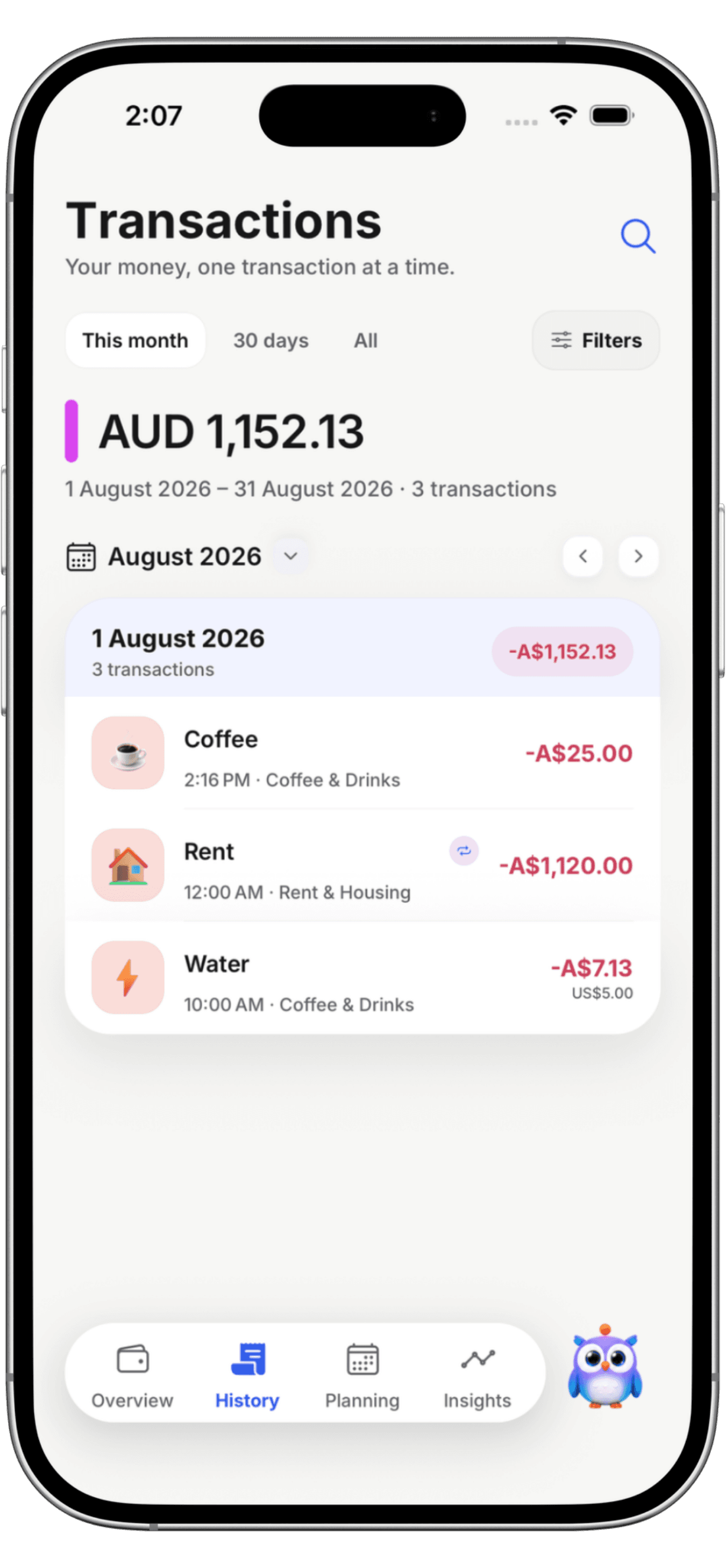
Fix a merchant or category once. Marnie learns it and applies it to every future payment from that merchant.
SQ *BLUEBIRD CAFE 0423 SYDUncategorizedHow it works
Add a personal automation in Apple Shortcuts once. Each eligible Apple Pay tap is sent to Marnie and saved when you open the app.
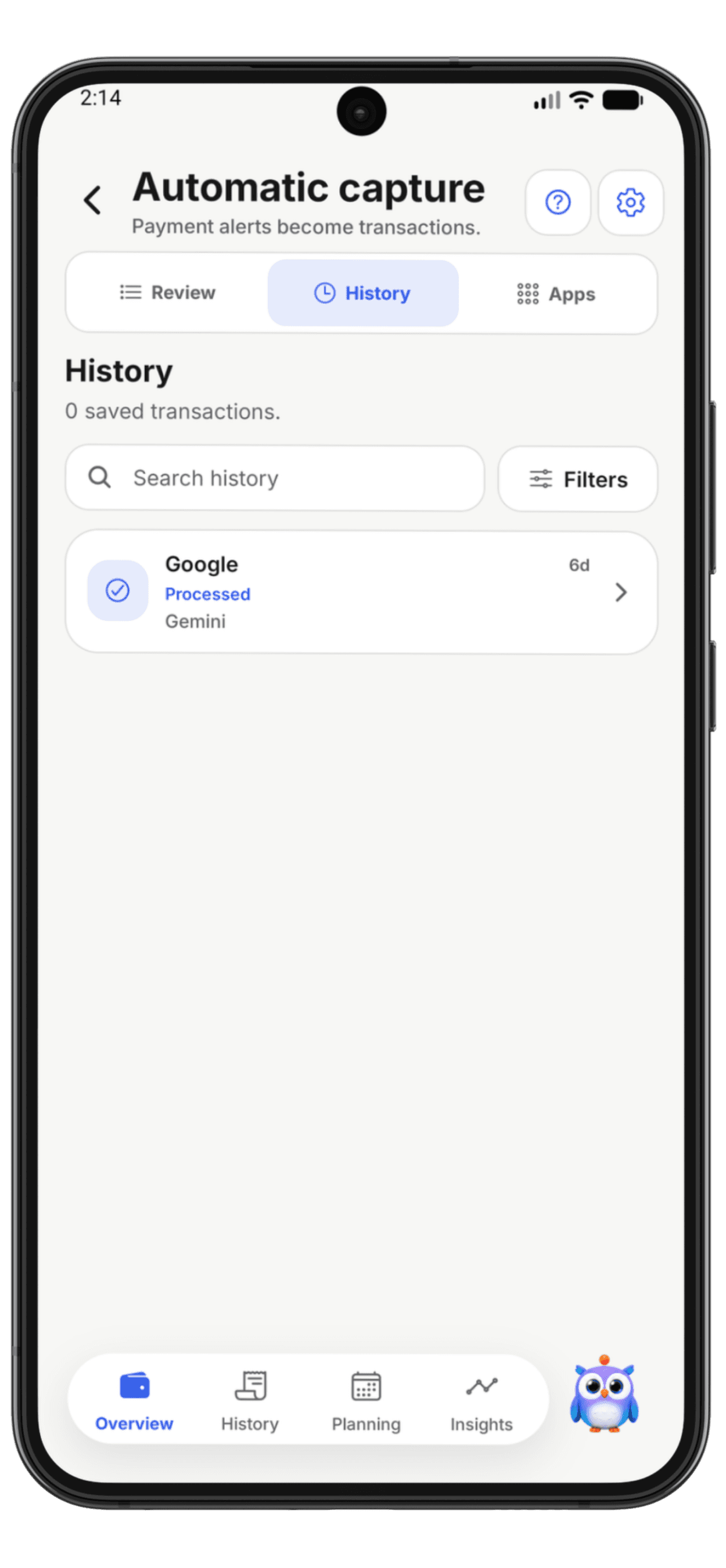
Pick which apps Marnie may read. Payment notifications become transactions; promotions and one-time codes are ignored.
Cash, income, one-off bills and paper receipts take a few taps, or just say it.
Confirm or correct uncertain captures. Marnie remembers the merchant next time.
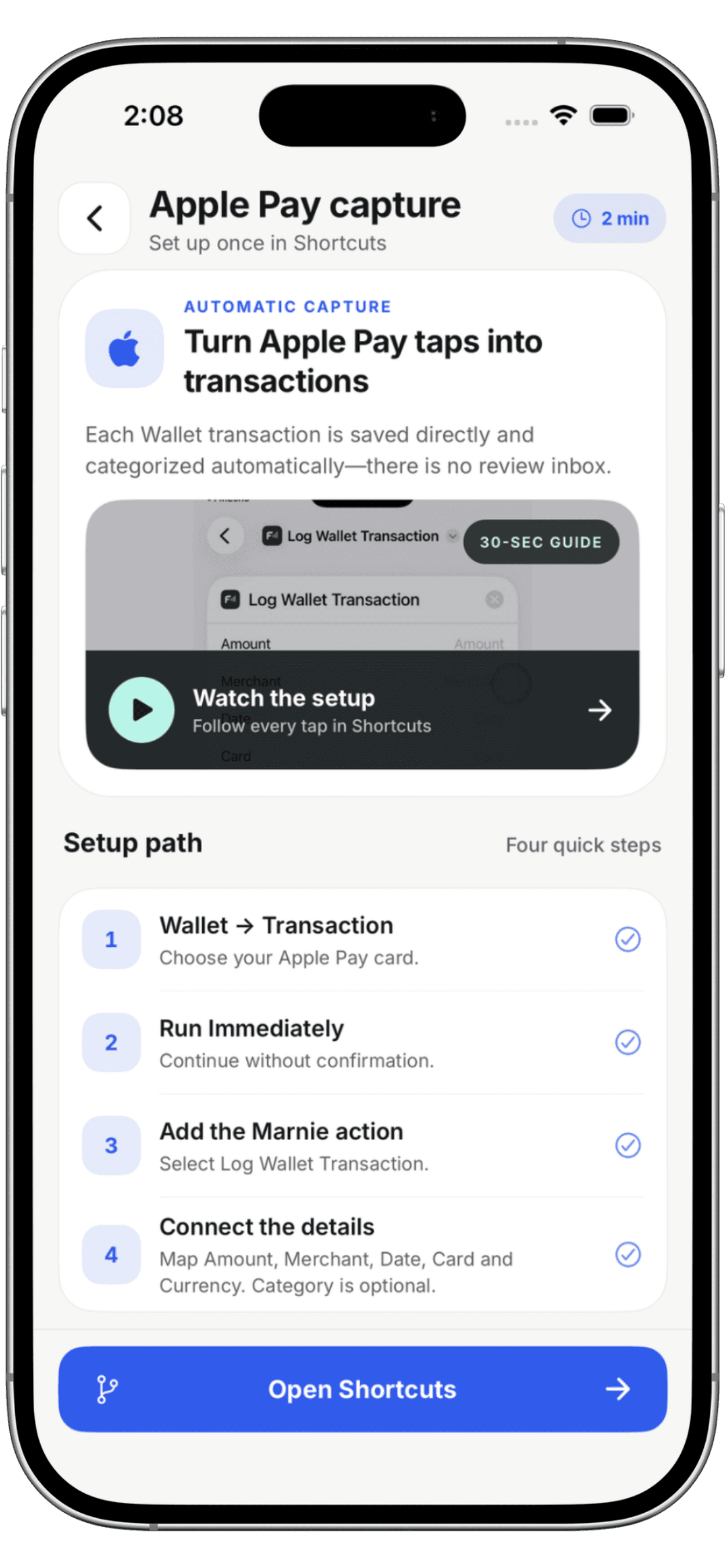
One personal automation in Apple Shortcuts sends each tap of your Wallet card to Marnie. No bank login.
Shortcuts → Automation → + → Transaction. Pick your Wallet card and choose Run Immediately.
In the blank automation, search for Marnie and add the Log Wallet Transaction action.
Set each field to Shortcut Input, then choose Amount, Merchant and Card. Leave Category empty to auto-categorize.
Your next Apple Pay payment is captured and saved when you open Marnie.
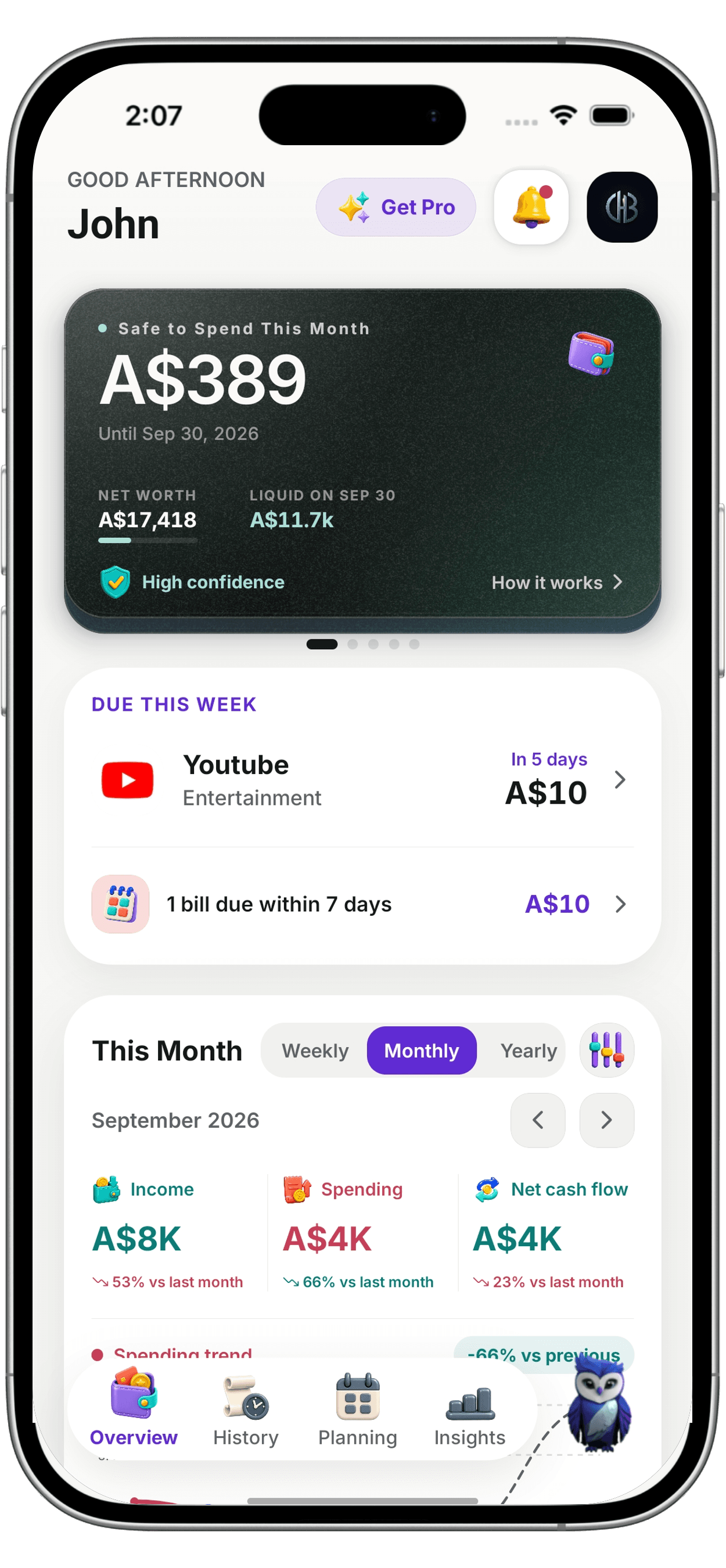
Set weekly, every-two-weeks or monthly budgets by category. Marnie spots recurring bills and subscriptions, sets money aside for goals and an emergency buffer, and shows what may be safe to spend before payday.
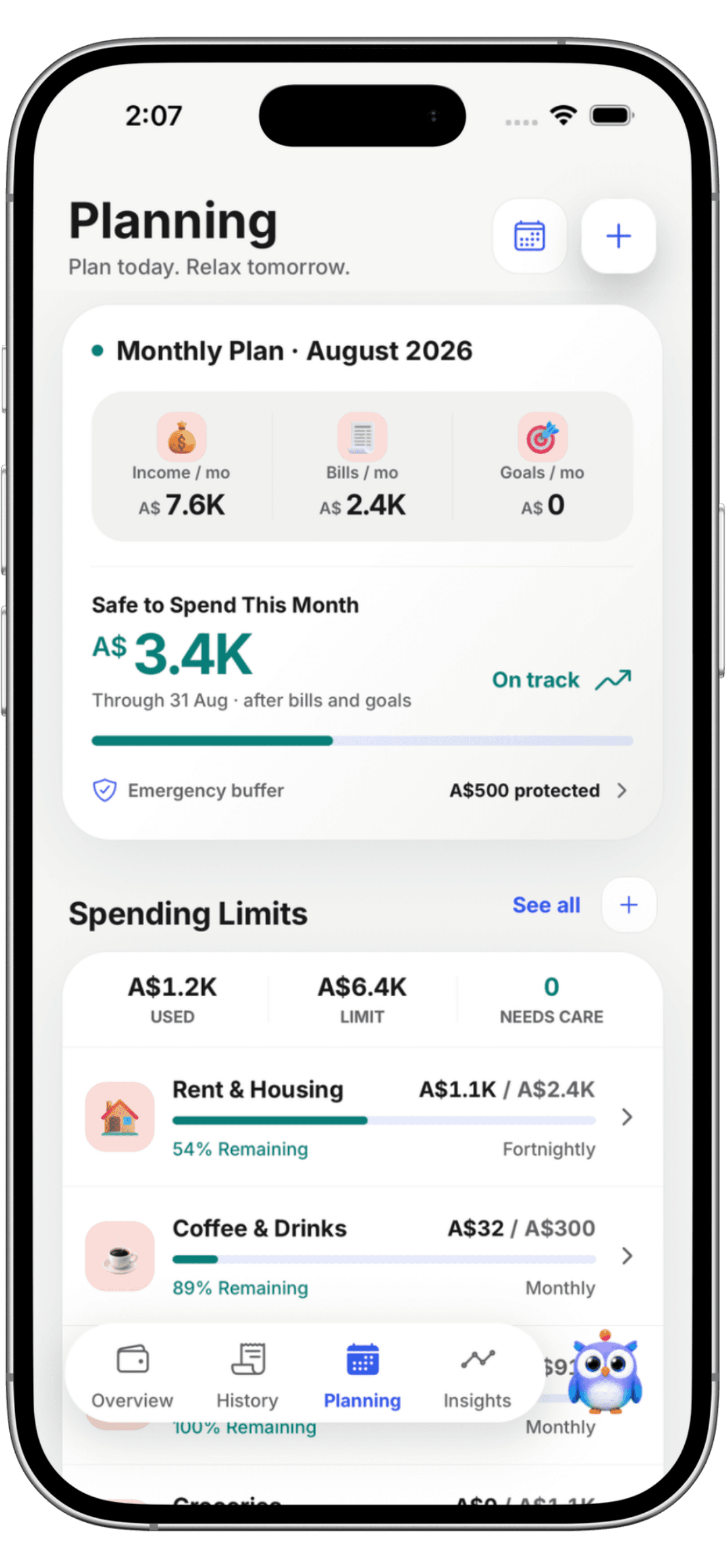
Before anything counts as safe to spend, Marnie sets aside:

Private by default
Marnie never asks for your bank login. Your transaction record is stored on your phone, and cloud backup stays off until you turn it on. AI runs on your device by default; Automatic and Cloud modes send only the context a request needs. You sign in with Apple, Google or email, and de-identified merchant and category matches, never amounts or account details, help improve suggestions unless you switch that off.
Are budgeting apps safe? Compare the privacy trade-offsPrivacy policy
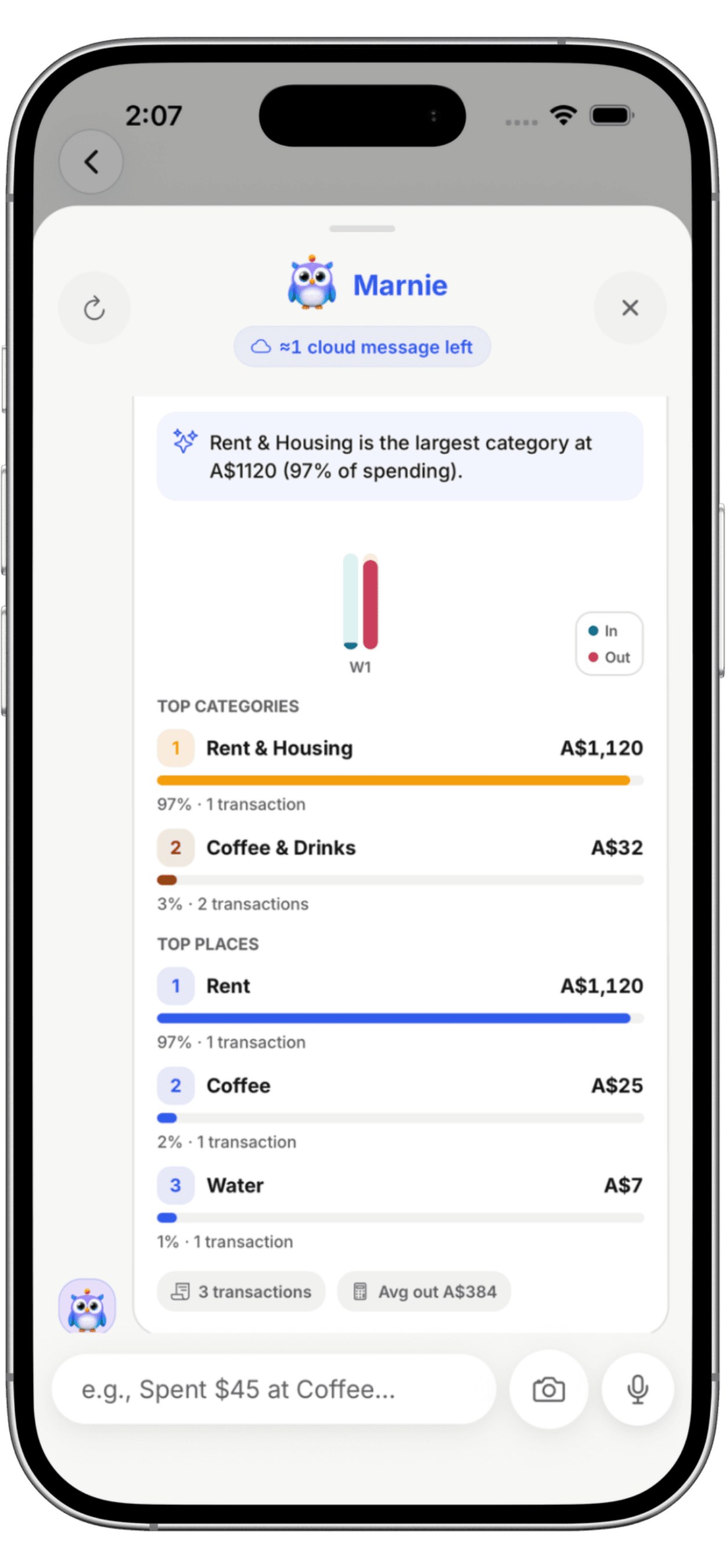
Ask Marnie
Ask what changed, which categories need attention or what's safe to spend, by text or voice. How AI spending insights work


The app
Insights, merchant learning and home-screen widgets.
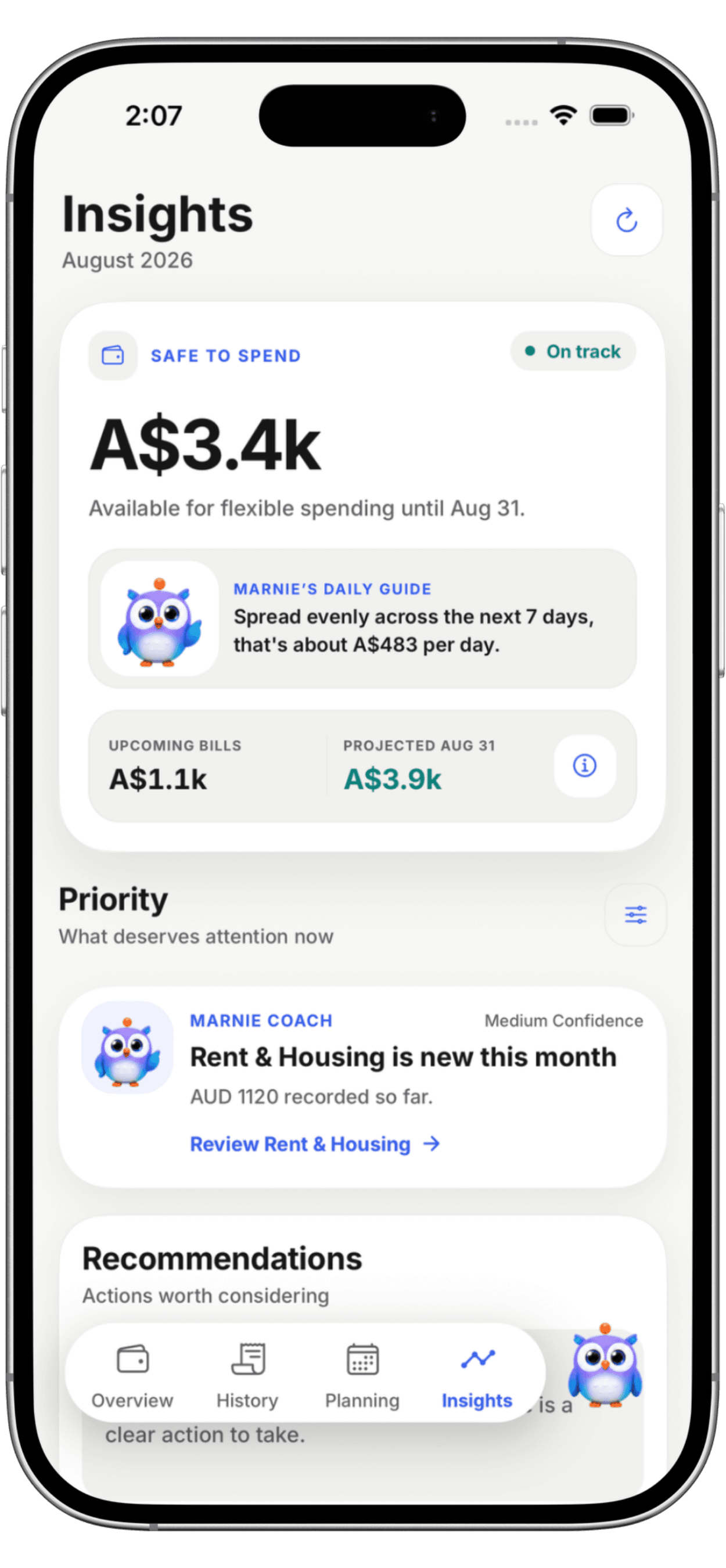
Spending pace, upcoming bills and one clear next step.
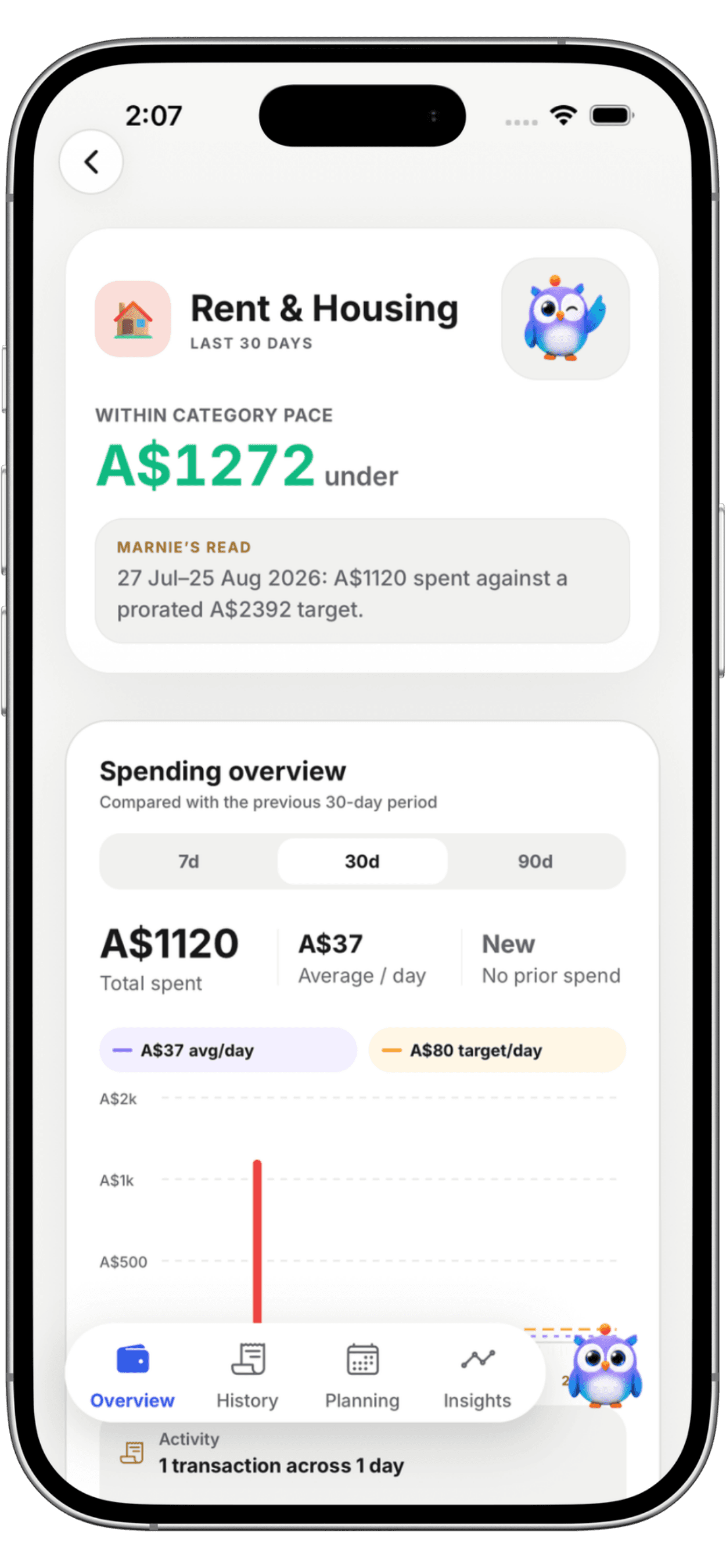
Correct a merchant once and Marnie remembers it next time.
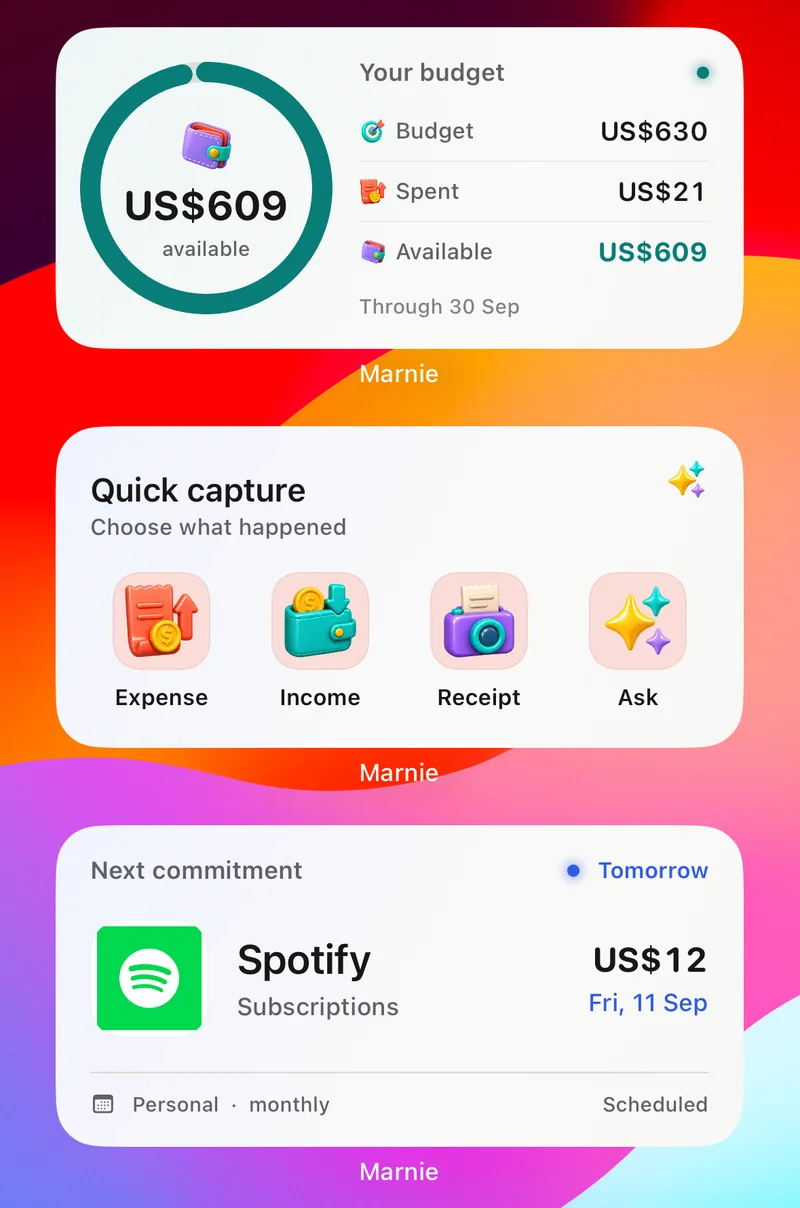
Safe to Spend, quick capture and the next bill at a glance.
Straight answers on price, automatic capture, bank linking, devices and privacy.
Marnie is an expense tracker app for iPhone and Android that records your spending without linking a bank account. It turns eligible Apple Pay taps and supported payment notifications into reviewable transactions, lets you add cash, receipts and voice entries, learns from your merchant corrections, and forecasts what may be safe to spend after bills and goals.
Yes, Marnie has a free plan. You can type, speak or scan expenses, set budgets, plan bills and goals, and see Safe to Spend without paying. Free includes a monthly allowance of Apple Pay and Android captures and limited cloud AI. Pro (US$1.99 a week, US$5.99 a month or US$44.99 a year; local prices vary) extends both. There is no free trial.
No. Marnie never asks for your bank login. Apple Pay activity reaches Marnie through an Apple Shortcuts automation, supported Android payment notifications can be captured, and anything else can be typed, spoken or scanned from a receipt.
Yes. On iPhone, a personal automation in Apple Shortcuts sends each eligible Apple Pay tap to Marnie, and it is saved and categorized when you next open the app. On Android, Marnie reads payment notifications from the apps you choose, such as Google Wallet. Uncertain captures wait for your review.
Marnie does not read your Apple Pay history. A personal automation in Apple's Shortcuts app passes each eligible Wallet transaction to Marnie, which saves and categorizes it when you next open the app. Wallet details can differ from your bank's final record, so captured entries stay reviewable.
You choose which payment apps Marnie may read. Marnie turns eligible payment notifications into transactions, ignores promotions and one-time codes, and leaves uncertain captures ready for your review. It does not read SMS messages.
Yes. Type or say a cash purchase, or scan a paper receipt with your camera, and Marnie turns it into a reviewable expense; income works the same way. Marnie also spots recurring bills and subscriptions in your history and can alert you when a subscription price goes up or a charge looks duplicated.
Yes. Marnie runs on iPhone with iOS 16.4 or later and on Android 8.0 or later. Download it from the App Store or Google Play. There is no iPad, web or desktop version, and records move between phones with backup and restore rather than live sync. The app is in English and supports 46 currencies.
Marnie never asks for your bank login, and your transaction record is stored on your phone. You sign in with Apple, Google or email. Cloud backup is optional and off until you turn it on. AI runs on your device by default; Automatic and Cloud modes send only the context a request needs. De-identified merchant and category matches, never amounts or account details, are shared to improve suggestions unless you switch that off.
Available on iPhone & Android
Be better with money. Still be yourself.
Scan to downloadOpens the App Store or Google Play on your phone.
No free trial; local prices vary. Compare plans