Marnie journal / Automatic capture
Android Notification Expense Tracker: Setup and Limits
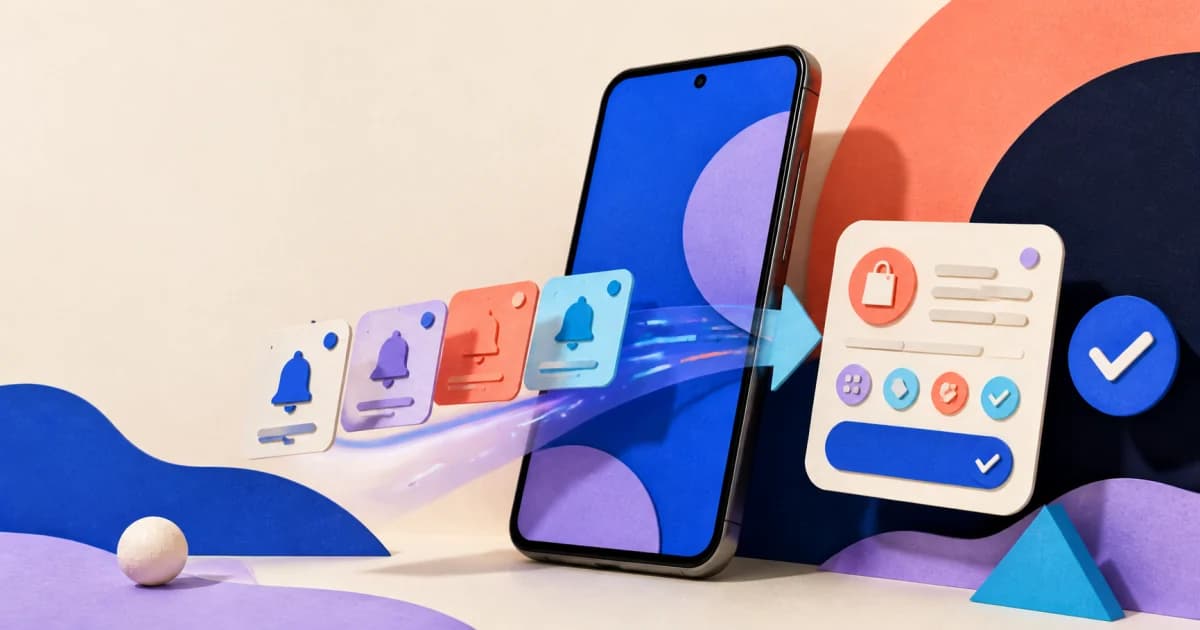
An Android notification expense tracker can read payment alerts after you grant notification access. Some trackers let you choose which source apps to use and turn alert details into a draft transaction for review. It cannot capture a payment if no supported alert appears. An alert can also be incomplete or differ from the final issuer record.
This can reduce routine entry without linking a bank account. Marnie is available on Android and iPhone; on Android it captures from supported Google Pay and bank-app notifications. This guide explains the general setup and review process, so you can assess an app’s coverage before relying on it.
On this page
- What notification capture actually does
- Compare notifications, SMS and bank sync
- How a payment alert becomes an expense
- How to set up a controlled test
- What notification tracking can miss
- How to review privacy and permissions
- How to keep the record accurate
- Frequently asked questions
What notification capture actually does
Android can let an approved service act when an alert appears, changes, or is removed. The system tool is `NotificationListenerService`. An app must declare it, and you must grant listener access. The service can then receive the alert and see which app sent it.
An expense tracker can use that event as a capture signal. It can check the source and read the alert text. It may then propose an amount, merchant, time, currency, or direction. The result depends on what the source app included. Android does not verify the transaction for the tracker.
Google says Google Wallet can show a purchase alert after a Wallet payment. It also says merchants may not share all purchase details. Wallet entries do not replace original receipts, and users should check bank statements for the full record (Google Wallet Help). These limits apply even when the alert arrives at once.
Notification capture uses events from the phone. It does not request an ongoing account history. Compare other methods in how to track spending without linking a bank account.
Bank notifications, SMS and bank sync are different
Check what a tracker actually reads. A bank-app push notification, a text message and a connected bank feed are separate sources, even when they describe the same purchase.
| Method | Source of the record | Setup question |
|---|---|---|
| Notification expense tracking | An alert posted on the Android device | Which apps can the tracker read, and which sources can you exclude? |
| SMS expense tracking | A transaction text message, using the app’s supported SMS workflow | Does it read messages directly or only their posted notifications? |
| Bank sync | Records supplied through an account connection | Which accounts and transaction history will be shared? |
Granting a tracker permission to post its own notifications does not let it read bank alerts. The notification-listener permission described below is the relevant access for this workflow. Marnie’s documented Android capture covers supported payment notifications; do not assume it imports your SMS inbox or bank history.
How a payment alert becomes an expense
A sound workflow keeps the source event, the app's reading, and your confirmation distinct. This table shows where an automatic step ends and your decision begins.
| Stage | What happens | What may go wrong | What to do |
|---|---|---|---|
| 1. Payment event | A card, wallet, or bank event occurs | The source may not issue an alert | Add the expense another way if it is missing |
| 2. Notification posted | Android delivers an alert from the source app | The alert can be delayed, shortened, grouped, or disabled | Check the source app and notification settings |
| 3. Source check | The tracker checks whether the app and alert look payment-related | An ad, security, balance, or transfer alert can look similar | Reject the alert and narrow the approved sources |
| 4. Draft fields | The app reads the amount, merchant, date, currency, and direction from the text | A name may be short, an amount may be pending, or income may look like spending | Compare the draft with the alert and purchase |
| 5. Draft review | The proposed transaction is shown for confirmation or correction | A confident-looking category can still be wrong | Correct only the fields supported by evidence |
| 6. Final check | The record is compared with the issuer's settled history or receipt | Pending and posted records may look like two purchases | Confirm, merge, update, or remove the draft |
The result should show which app produced the signal. It should also separate source details, inferred fields, and confirmed fields. The guide to duplicate transactions in expense trackers covers repeated and multi-source captures.
Example: a payment alert and an expense are not the same thing
Consider this made-up alert: “Card purchase: $12.50 at CORNER CAFE.” A tracker might propose a $12.50 expense with CORNER CAFE as the merchant. The alert alone does not establish the spending category, final settlement status, or whether another app has already recorded it.
Check the purchase, choose the category, and look for an existing $12.50 entry before confirming. If the bank app also sends a “Your statement is ready” alert, that is not another expense. This example illustrates the review decision; it is not a supported-notification specification or a tested Marnie result.
How to set up a controlled test
Before granting access, check whether your usual payment and bank apps send useful transaction alerts. A generic "payment completed" message may not support a meaningful draft.
1. Review the source notification
Use a purchase you know. Check the alert for an amount, merchant, currency, direction, time, and card clue. Do not share screenshots that show account numbers, balances, or one-time codes.
2. Read the access explanation
Install only from a source you trust. Check why access is needed and which alerts the app uses. Find out if it stores raw text or sends data off the device. Also check how to revoke access. Android exposes an access check through `NotificationManager`, but that switch does not answer these product-level questions.
3. Grant notification-listener access
Use the tracker's setup link if it provides one. Android has a system notification-listener settings screen, but Google notes that this screen may not exist in the same form on every device. Names and menu paths can also vary. If the link does not open the right list, search device Settings for "notification access" or "special app access." Open the result that lists apps allowed to read notifications, then enable the tracker you are testing.
Listener access and `POST_NOTIFICATIONS` do different jobs. On Android 13 and later, POST_NOTIFICATIONS lets an app post its own non-exempt alerts. It does not let the app read approved alerts. Turning off an app's own alerts does not, by itself, turn off listener access.
4. Limit payment-related sources
Where the tracker offers per-app controls, select only the payment or bank apps you need. Marnie lets users mark supported Android apps as transaction-related or not transaction-related and review captured entries.
5. Run one planned purchase
Make one planned purchase from a chosen source. Wait for the alert and any draft. If a draft appears, check its amount, direction, merchant, currency, date, source, and category. Confirm that the same alert did not create more than one draft.
6. Compare the final record
When the transaction settles, compare it with the issuer's record. Update changed details. If a difference cannot be explained, keep the record uncertain rather than forcing a category.
7. Revoke access if the test is over
Return through the setup link, or search Settings again for "notification access." Turn off listener access for the tracker. If the tracker has source controls, disable the sources you no longer want it to use. Change its ordinary notification permission separately if you also want to stop the app from posting alerts.
What notification tracking can miss
Notification tracking can only work with events the device receives and the tracker supports. Expect a manual fallback for gaps.
No notification. A source app may have purchase alerts turned off. It may also hide a type of transaction or group several alerts. Cash, direct debits, transfers, and some card activity may produce no useful alert. Cash purchases can be recorded with the workflow in how to track cash expenses.
Incomplete text. The alert may contain an amount without a recognisable merchant, or a merchant without a final amount. Google explicitly says Wallet may not receive all purchase details from a merchant.
Protected notification content. Android 15 added redaction for notifications containing detected one-time passcodes when delivered to untrusted listeners, with exceptions for trusted services. A visible alert can therefore have less usable text in the listener. Keep Android's protections enabled; use manual entry for a capture gap instead of weakening security to expose the text.
Pending and settled differences. Hotels, transport, tips, foreign currency, refunds, and reversals can change after the first alert. An early capture is timely. The settled issuer record is still the best source for a later check.
Different merchant descriptors. The name in the alert may be a legal entity, payment facilitator, outlet code, or shortened descriptor rather than the storefront name. Read why expense apps get merchant names and categories wrong before applying a reusable merchant rule.
Restricted profiles and devices. Android notes limits on some older, low-memory devices. It also says listeners are ignored in a work profile. A workplace policy may block work-profile alerts too. A setup that works on one phone may act differently on another.
How to review privacy and permissions
Notification access needs its own review because alerts can contain more than spending data. Ask five separate questions:
- Access: Which alerts can Android share after you approve access?
- Choice: Which apps and types of alert does the tracker use?
- Storage: Does it keep raw alert text, a saved record, both, or neither?
- Processing: Does the phone or a remote service parse, sort, or run AI on the data?
- Control: Can you turn off a source, revoke access, export records, and delete stored data?
Do not treat "no bank login" as a full privacy answer. It only describes the missing bank link. You must still review notification access, backups, analytics, crash reports, and optional cloud AI. The local-first finance-app privacy guide compares the wider data flow. The notification-access safety guide focuses on the Android permission.
The OAIC's 2026 survey found strong support for a clear purpose and opt-in choice. It also found support for collecting only needed data and letting people refuse other collection (OAIC survey overview). Apply those tests to the full capture path.
How to keep the record accurate
Automation reduces entry work only when review stays manageable. Use a small routine rather than trying to prove that the tracker never makes a mistake.
- Review new drafts while the purchase is still recognisable.
- Keep the source app visible so you can distinguish a payment alert from a security or promotional message.
- Correct merchant and category details only when the purchase is clear.
- Check for a second record when more than one app reports the same transaction.
- Revisit pending amounts after settlement when the amount or label may change.
- Add silent transactions by text or through a voice expense-tracking workflow.
- Check the records before using category totals or a Safe to Spend forecast for a decision.
The goal is not a perfectly automatic ledger. It is a timely, reviewable working record with known coverage and a practical way to repair gaps.
Frequently asked questions
Does an Android expense tracker read every notification?
Notification-listener access can make posted alerts available to an approved service. Android and profile limits still apply. The tracker's source filters and rules then decide which alerts it uses. Review both the system access and the app's data practices.
Can Google Wallet notifications replace a bank statement?
No. Google says merchants may not share every purchase detail with Wallet, Wallet history does not replace an original receipt, and a bank statement should be checked for full transaction details.
Does notification capture require a linked bank account?
No. A linked bank account is not always required. The tracker can use alerts that already reach the phone. It still needs listener access and a supported source app. This gives less account coverage than a bank feed and needs more checks.
Why did the same purchase appear twice?
Two source apps may report the same purchase. A pending record may also return with a new label, or a manual entry may already exist. Compare both records with the issuer before deleting or merging either one.
What happens when a payment notification is missing?
Add the transaction through a supported manual path, then check whether the source app issued an alert at all. Do not invent missing details or assume later payments will be captured simply because an earlier test worked.
Use notification capture as an input, not a promise
Android payment alerts can cut daily typing. Their value depends on timely capture, clear source choices, visible doubt, and an easy way to check the final record.
Start with one trusted source and one planned test. Expand only after you understand what arrives, what stays private, what needs correction, and how you will record everything the notification workflow cannot see.
Available now · iPhone and Android
Track expenses without linking your bank.
Marnie brings supported payment capture, text and voice entry, and Safe to Spend planning together. Download it on the App Store or Google Play.



Marnie Editorial
Practical explanations for a calmer relationship with everyday money. Marnie provides informational guidance, not financial advice. Read our research and corrections policy.